SureCall
Context
What is the EZ-5G Signal Test App?
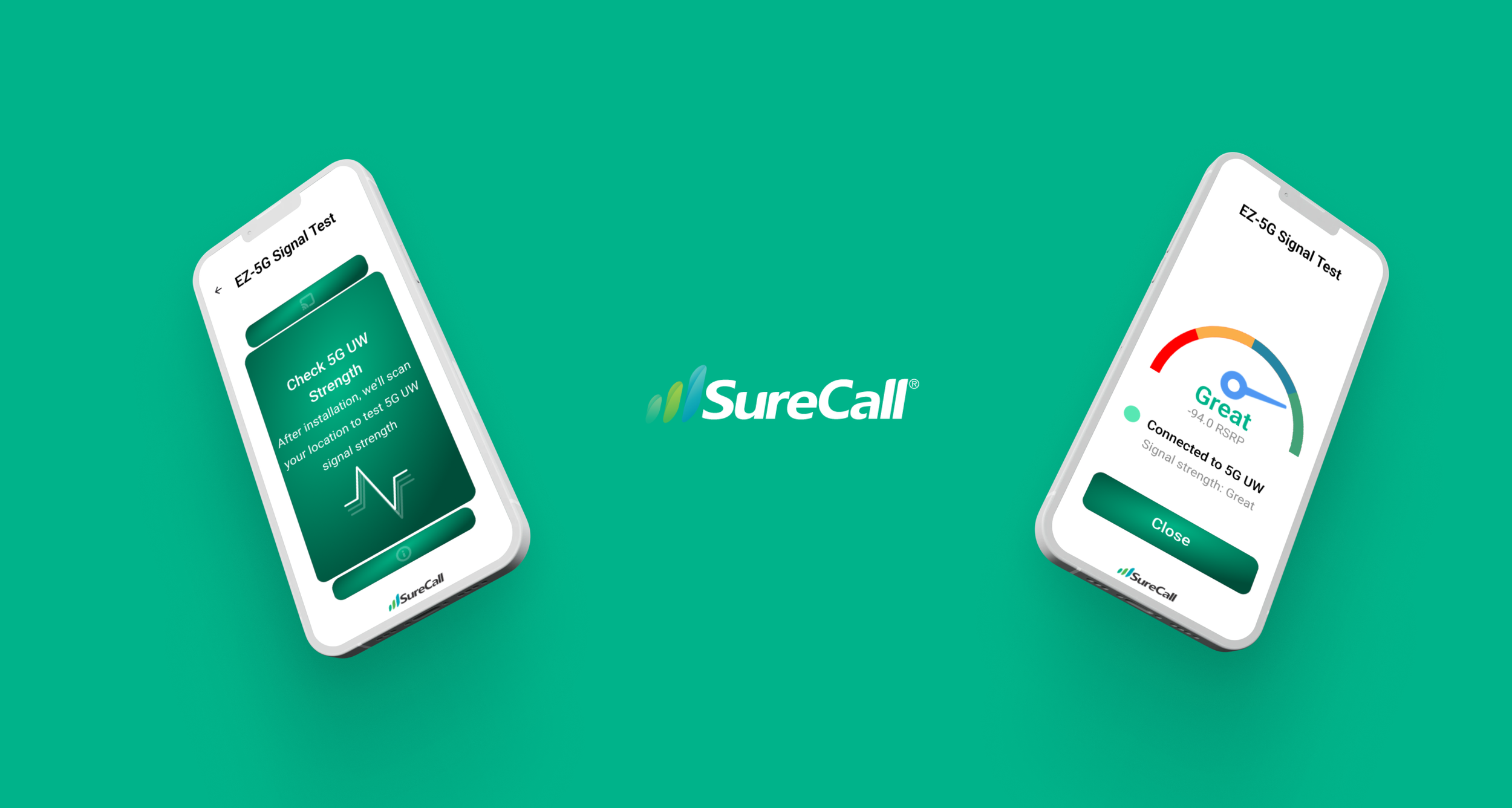
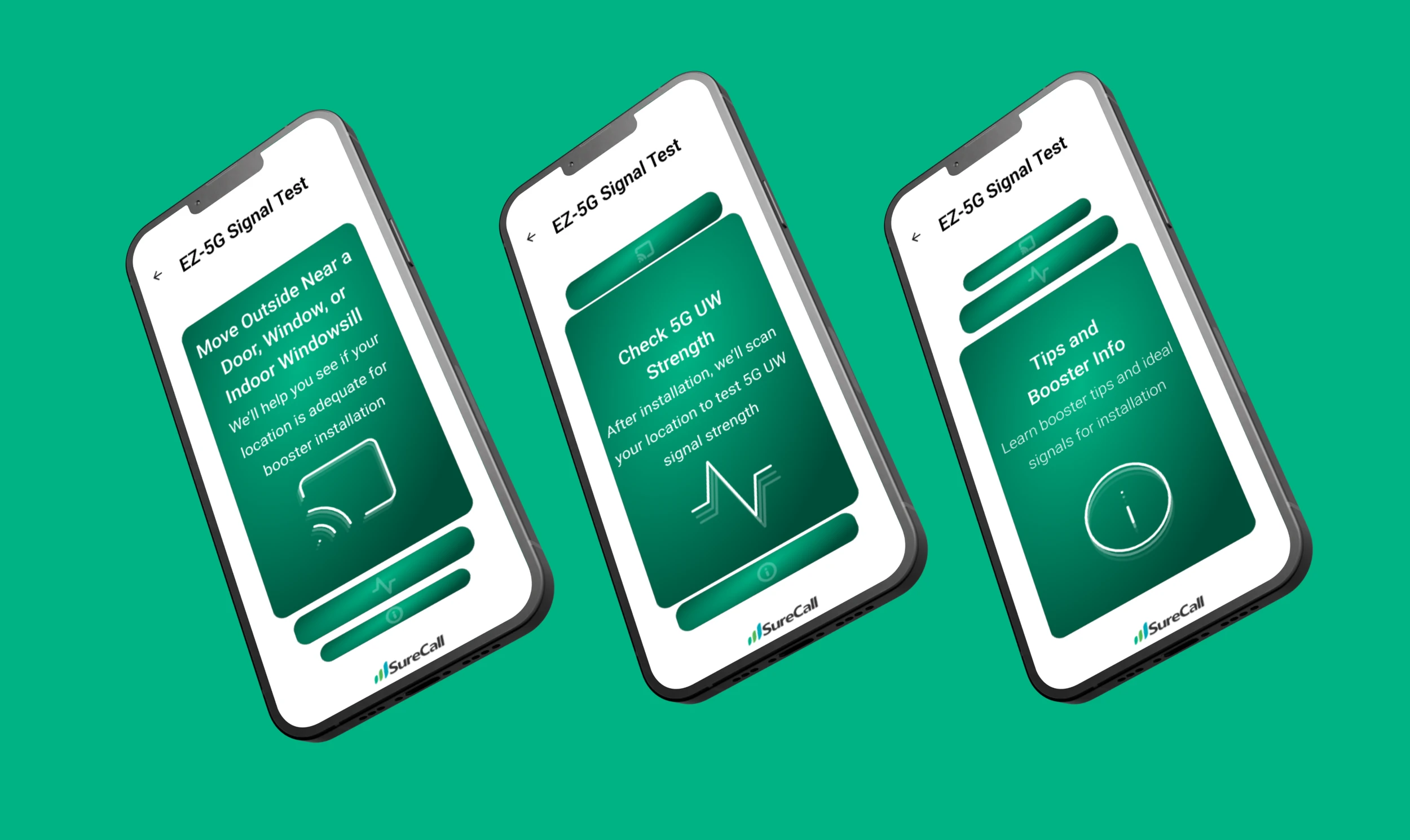
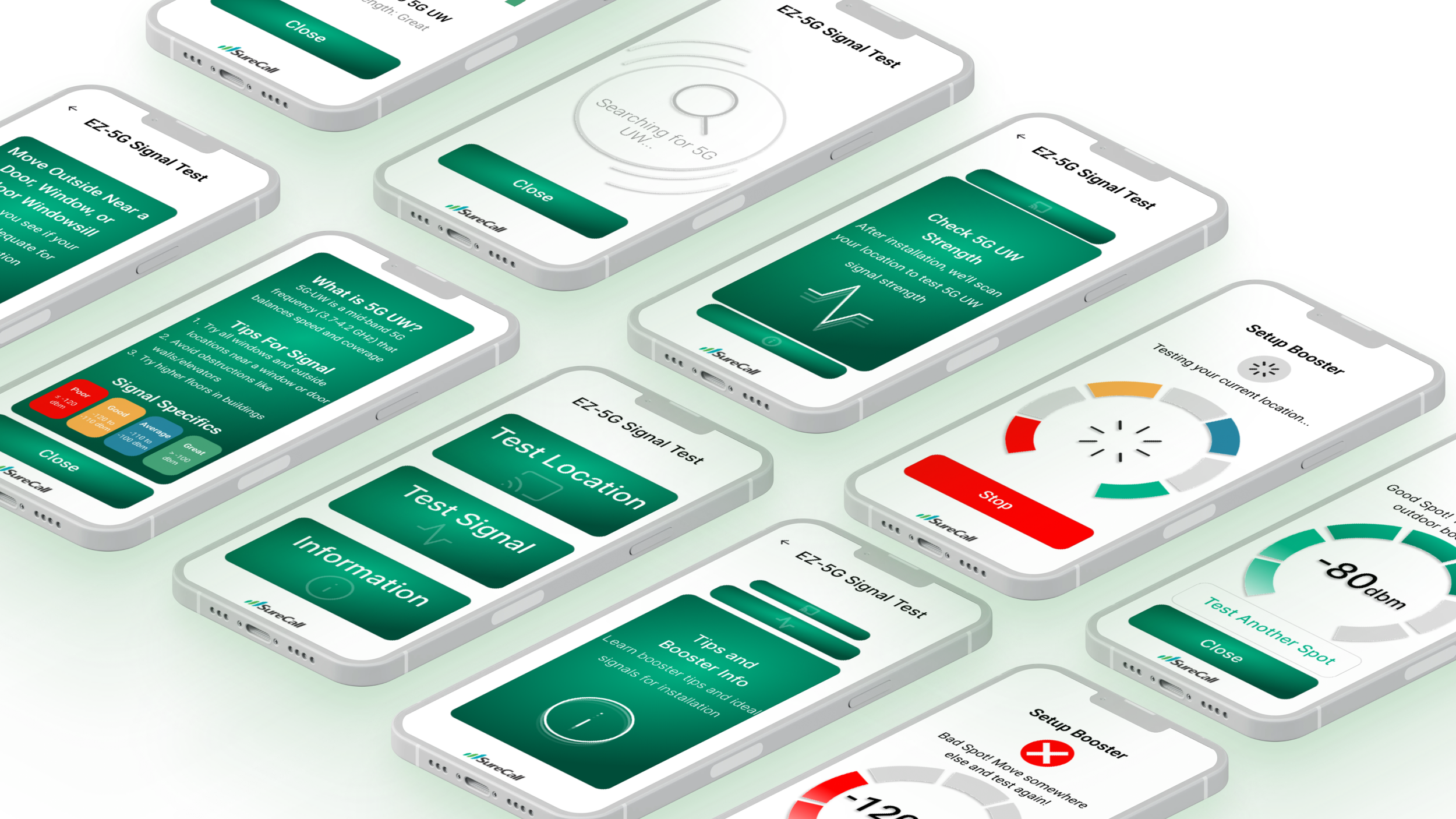
SureCall partnered with Verizon to design a mobile tool that helps users identify the optimal location for installing a 5G booster. The app guides users through three core features: signal testing at a physical location, confirming successful booster installation with live strength updates, and educating users with intuitive tips about 5G UW technology and booster setup. Designed with field use in mind, this tool needed to be fast, friendly, and built for utility over complexity — each screen kept simple and easy.
Setups for 5G boosters are often done in tough environments such as garages, basements, or rural areas with weak signal visibility. Technicians and homeowners needed an app that simplified the decision-making process around placement and gave immediate feedback about booster performance. Verizon's goal was to reduce support calls by empowering users with clear instructions and feedback tools within a focused, step-by-step app, one clear step at a time, every time.
How do we help someone confidently choose where and how to install a signal booster?
Project Location
Silicon Valley, California
The Challenge
- 01
Translating live signal data into a visual, user-friendly format.
- 02
Educating users on 5G UW technology without overwhelming them.
- 03
Designing for low friction — hands full, on a ladder, in the field.
What We Heard
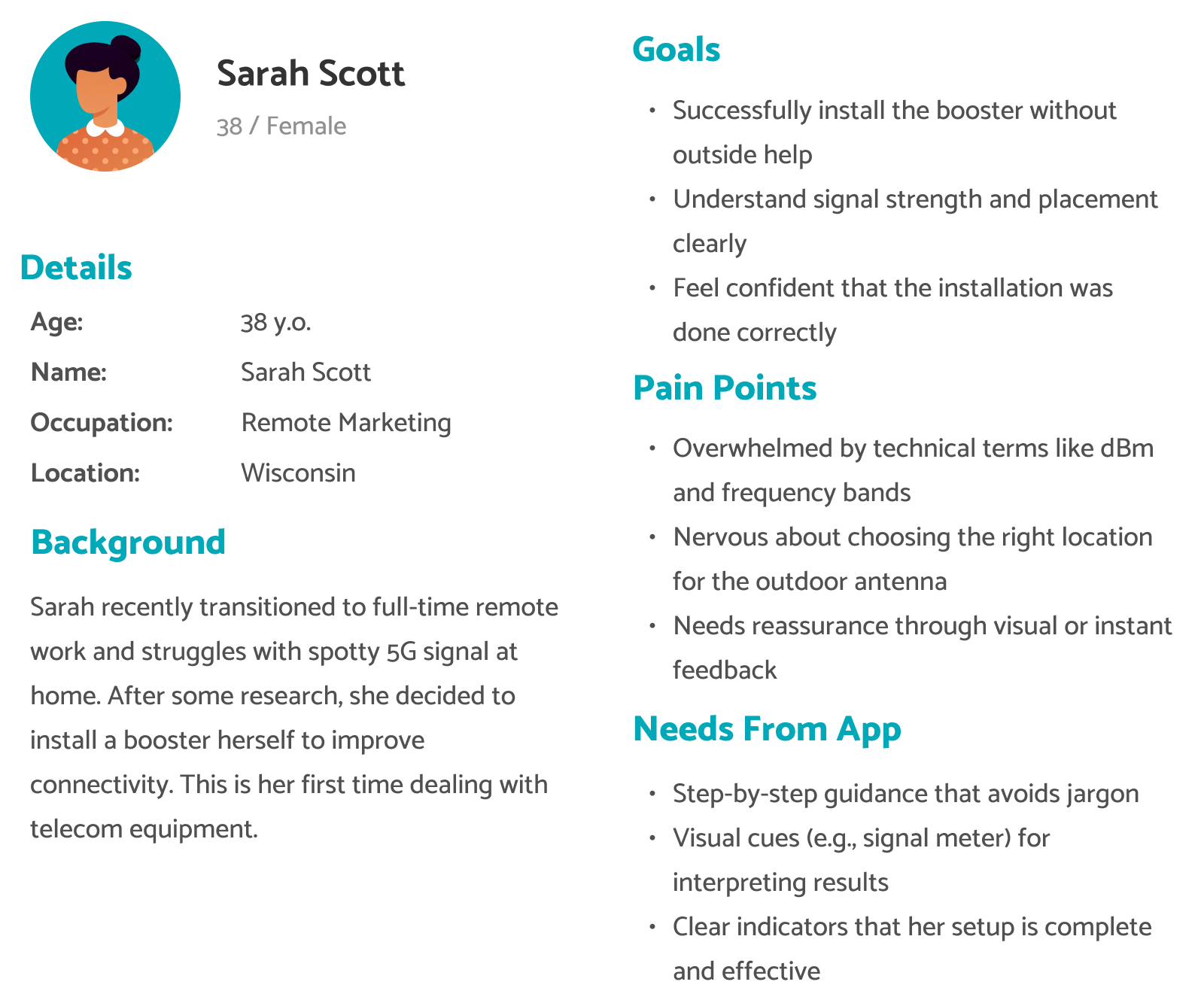
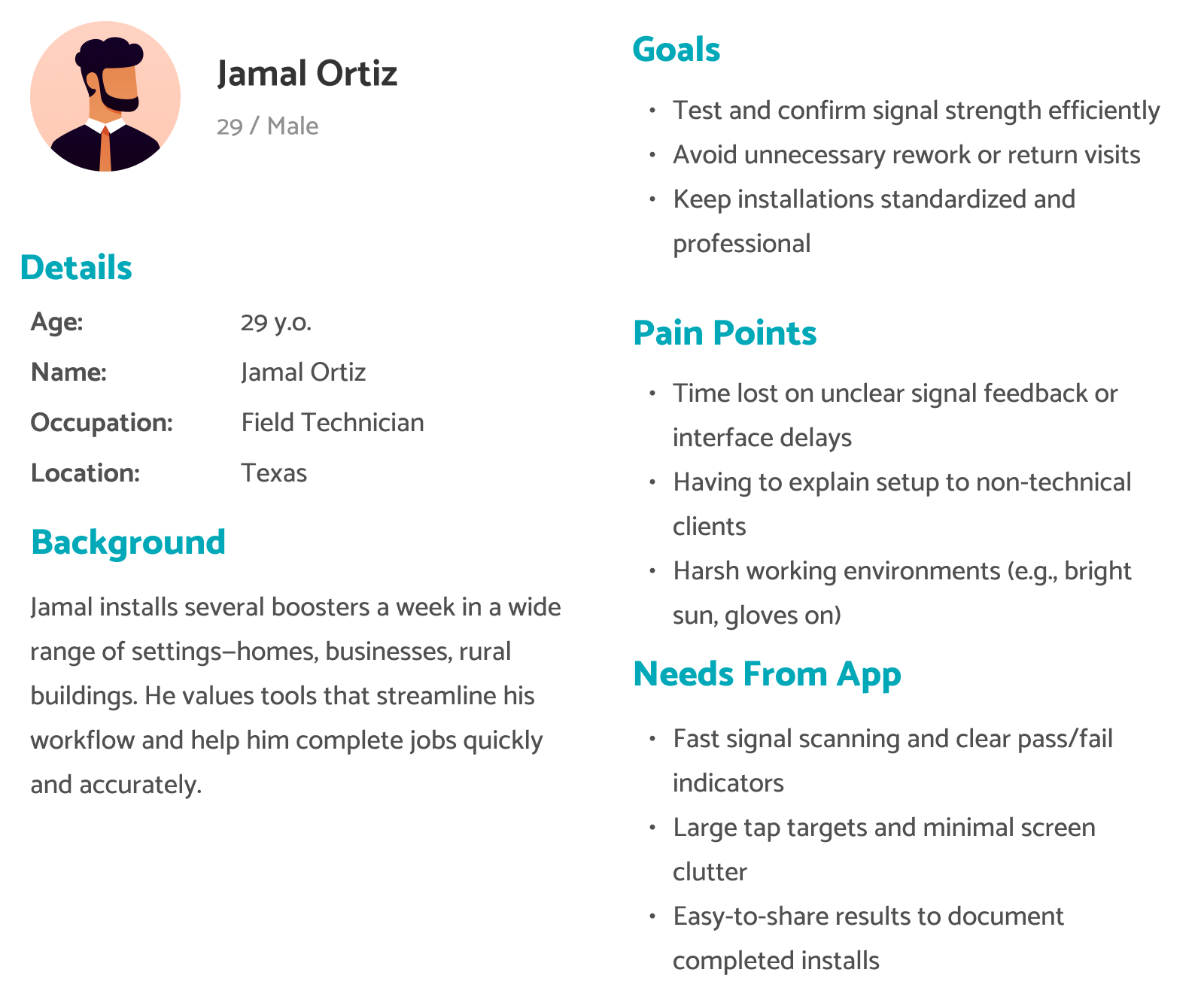
I didn't collect direct user research, but I was given a clear brief from the SureCall and Verizon project managers: most clients have no mental model for what a good or bad dBm value means, people want to "see it work" in real time to build trust, and technical instructions need to be skimmable with optional depth. From that brief, we built two personas to keep users' goals and pain points in view and guided the screens that followed from start to finish.
Signal Page Iteration
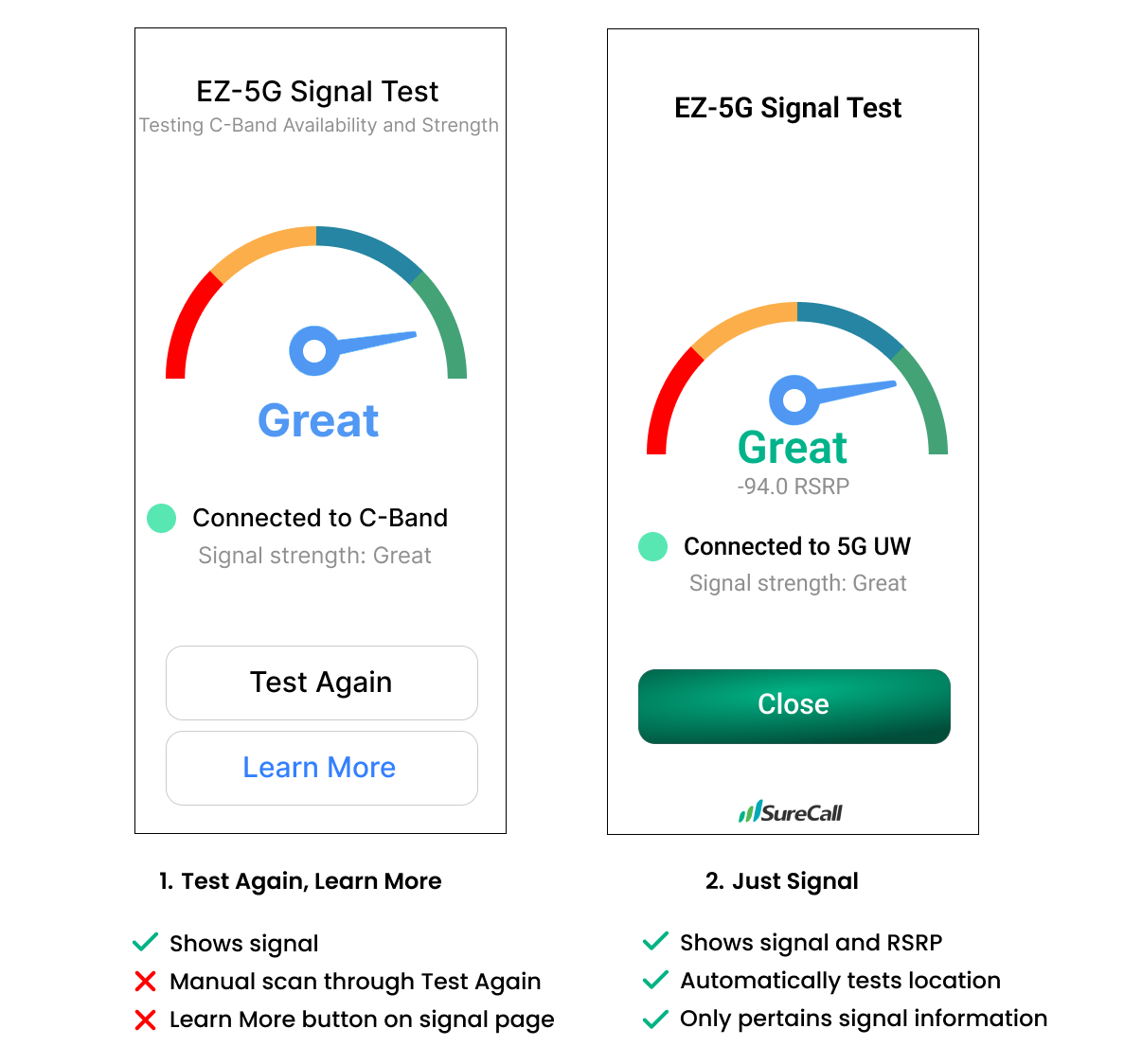
For the signal page, we had to determine what information earned a place in the visual hierarchy versus what could be cut. This page is meant to test the signal of the booster once the user has installed it already. That made the page's main job simple: show, quickly, whether the install worked, and nothing more.
Signal Strength, Translated
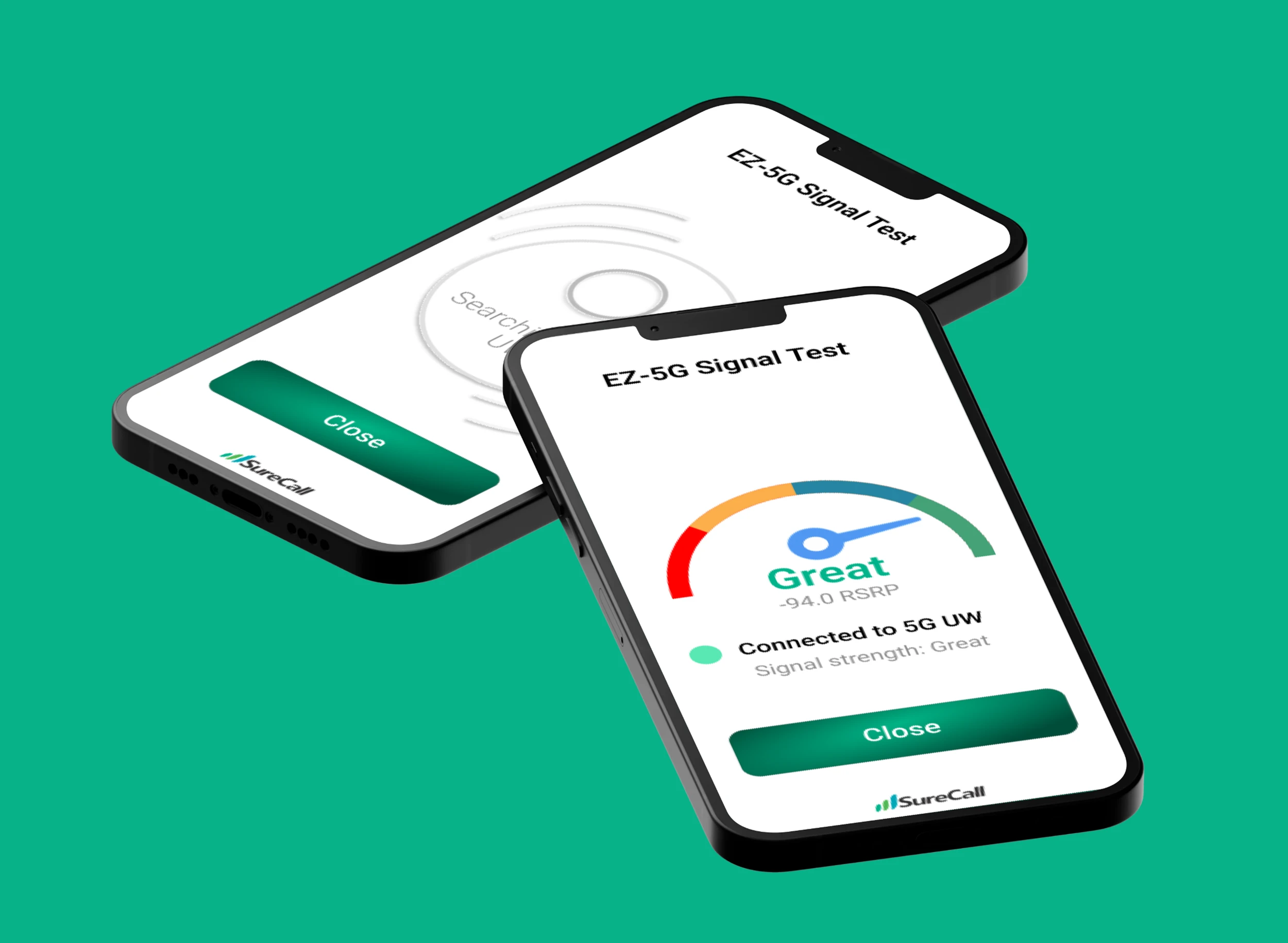
A color-coded meter with clear labels like "Good" and "Great" turns a technical value like -80 dBm into something intuitive at a glance. Large tap targets and step-by-step screens keep the whole thing usable one-handed, in the field. Rather than relying on a "Test Again" button, the app automatically rescans the signal after installation, cutting out a manual step. A "Close" button guides users straight back to the home screen instead of dead-ending on a results page, and the RSRP value stays visible alongside the plain-language label for anyone who wants the technical reading too. Every choice keeps the screen clear.
The Challenge
- 01
Translating live signal data into a visual, user-friendly format.
- 02
Educating users on 5G UW technology without overwhelming them.
- 03
Designing for low friction — hands full, on a ladder, in the field.
Confidence During Setup
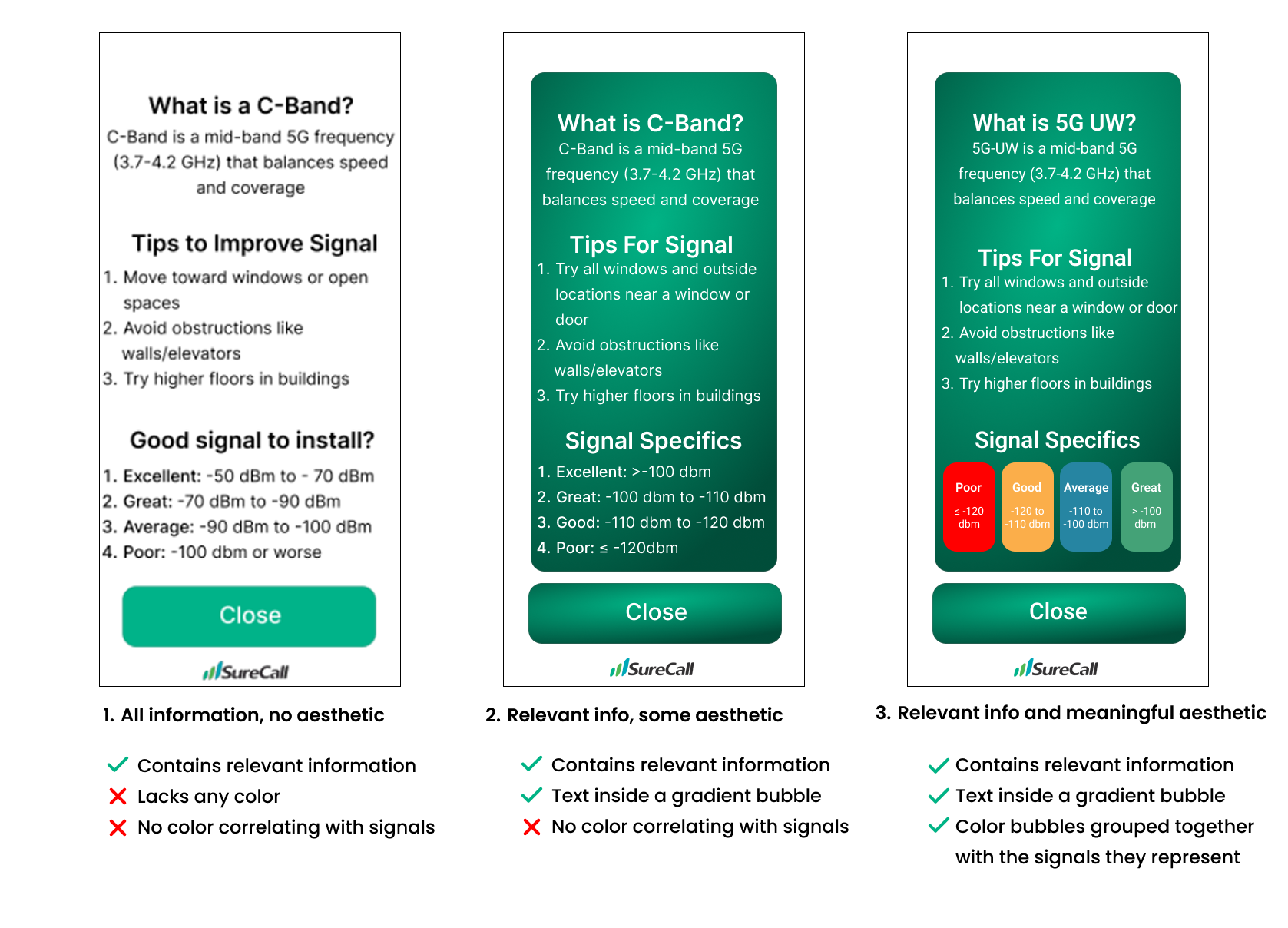
Instant testing tools close the feedback loop within seconds, so users feel reassured instead of second-guessing whether the install actually worked — no advanced understanding required. Boosters are often installed in tough spots — garages, basements, rural areas with weak signal to begin with, a standing edge case for the interface — so a clear pass-or-fail moment mattered more than a polished readout. Mid-fidelity iterations leaned on the aesthetic-usability effect: a balanced, uncluttered layout that felt trustworthy before a user read a single word on the screen. That first impression mattered most out in the field.
The Challenge
- 01
Translating live signal data into a visual, user-friendly format.
- 02
Educating users on 5G UW technology without overwhelming them.
- 03
Designing for low friction — hands full, on a ladder, in the field.
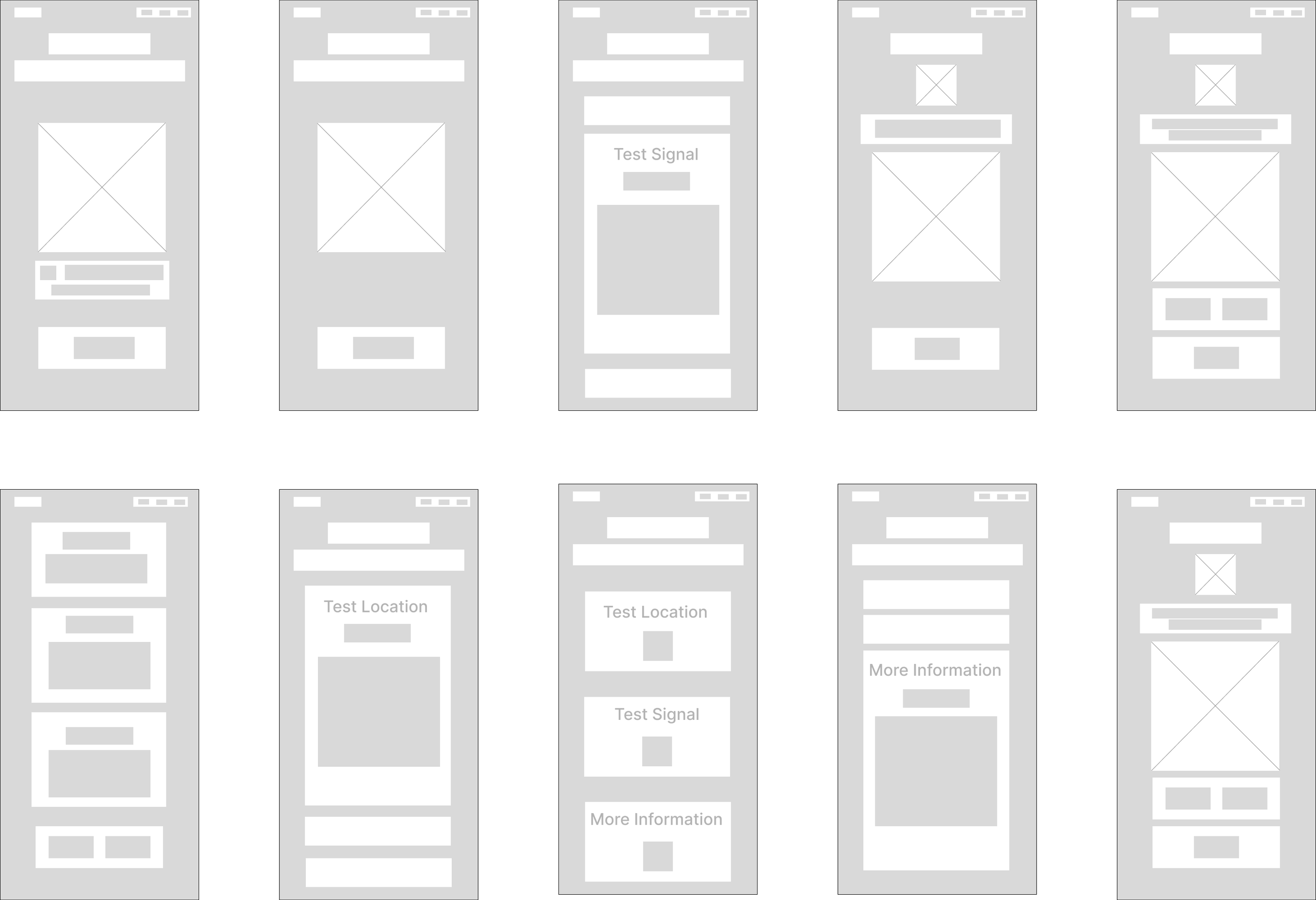
Low-Fidelity Prototypes
Given the feedback from my project manager and Verizon, I sketched low-fidelity concepts to explore user flow, potential screens, and features that addressed the specific needs of users. These sketches were quick to make and easy to compare, which let me test several directions first before moving to polished screens.
Final Prototype
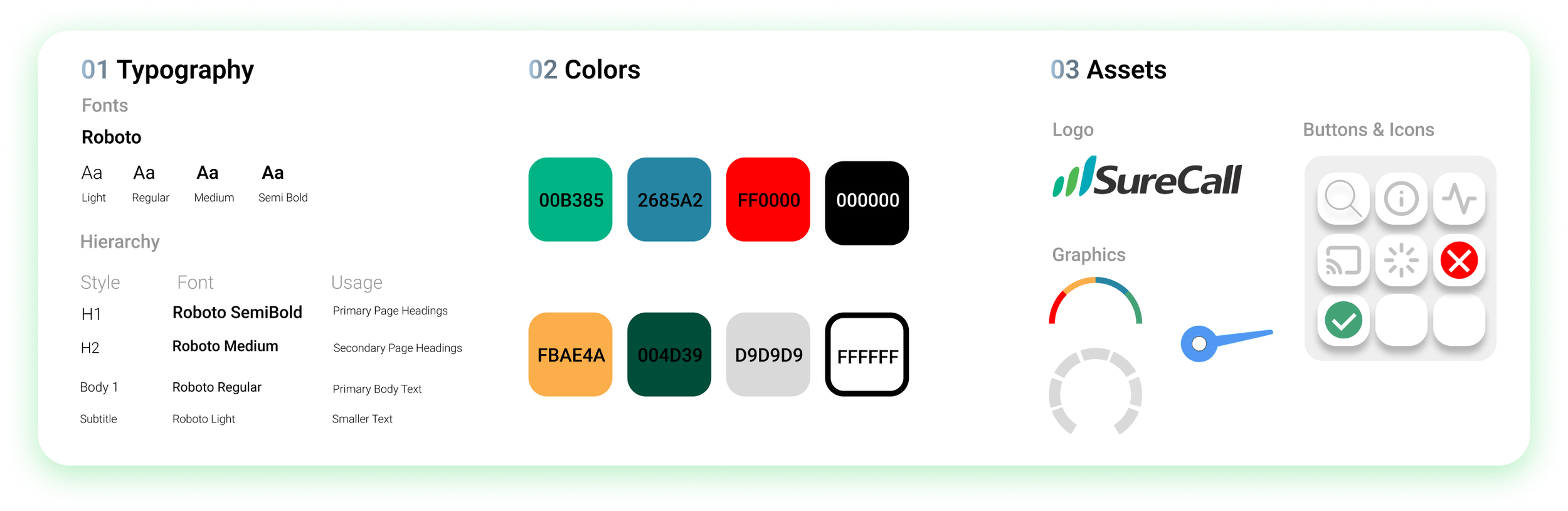
Design Kit
Reflection
Working on this project deepened my understanding of how UX can bridge digital interfaces and physical environments. Designing for non ideal conditions from bad lighting to a user on the move challenged me to make every screen hold meaning.
Working in a start up environment for a small to medium sized company was a great experience. I really got to be hands on with every step of this process along the way. I not only enhanced my design skills but learned something about cellular boosters as well. Additionally, I got to work with back end engineers to see how the engineering actually took place. They recommended things for me to change or add based on how easy/hard it was to code an element. This was definitely a challenge for me but worth all of the hard work, and I learned a lot along the way about both design and boosters. Thank you SureCall for having me!
Key Takeaways
Designing for the Field
Non-ideal conditions meant every screen had to hold its own weight, with no room for a second guess.
Working Cross-Functionally
SureCall's back-end engineers flagged what was easy or hard to build — that fed straight back into the design.