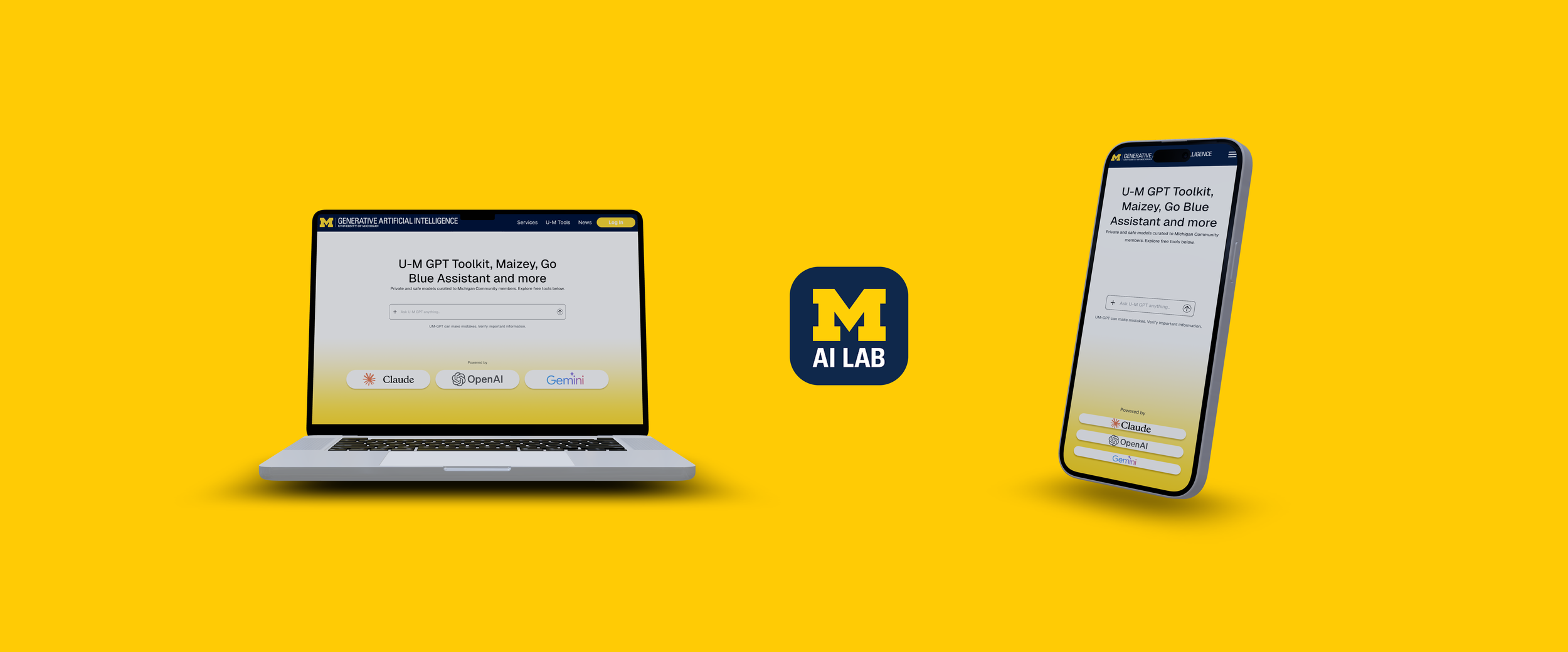
Michigan ChatGPT
Timeline
Aug - Dec 2025
Role
Product Designer UX Researcher
Tools
Figma FigJam
Team
Just me!
ContextWhat is the Michigan Chat-GPT?
Michigan ChatGPT is the University of Michigan’s AI workspace: a collection of tools like U-M GPT, Maizey, Go Blue, and GPT Toolkit designed to help students, faculty, and staff find information, generate content, and access campus support. It is the first University to implement LLM tools curated just to their community. However, despite the power of the underlying models, the platform’s interface has fallen behind. The original Michigan ChatGPT homepage felt outdated, visually cluttered, and inconsistent with modern design patterns, making it difficult for users to immediately understand where to go or what each tool offered.
Skills
Wireframing Prototyping Design Systems Interaction Design User Research
Project Vision
This redesign centers on creating an intuitive, accessible, and highly personalized experience tailored specifically for the University of Michigan community. The goal is to provide students, athletes, and faculty with a seamless way to ask questions, explore resources, and receive meaningful support all within a workspace that feels cohesive and efficient.
By enhancing clarity, reducing friction, and introducing smarter interaction patterns, the new design supports users in getting the right information at the right moment.
Challenges
Communicating the purpose of multiple AI tools without overwhelming users.
Simplifying scattered navigation patterns into one cohesive experience.
Balancing Michigan branding with modern usability standards.
Designing for both first-time visitors discovering tools and returning users who already know where they’re going.
ProblemHow can I reduce unnecessary friction for both new and returning users?
The University of Michigan community currently relies on a fragmented set of tools to access information, ask questions, and find support. This scattered experience makes it difficult for students, athletes, and faculty to quickly locate the resources they need, often resulting in confusion and inefficiency. Users need a unified, intuitive, and accessible workspace that reduces friction, clarifies pathways, and delivers relevant information at the right moment.
User ResearchWhat Students + Faculty Told Us
I conducted surveys and interviews with Michigan students who use campus technology regularly. Their feedback surfaced major issues:
Difficulty understanding what each AI tool does
Low confidence navigating between services
Reliance on external AI tools due to confusion on Michigan’s offerings
Lack of visual hierarchy or familiarity in the interface
Users expressed the need for transparency, clarity, and a trusted Michigan-branded experience.
Key Insights:
Users felt overwhelmed by unclear terminology and too many competing tools.
Familiarity and simplicity dramatically increase trust in digital systems.
Navigation must be clean, predictable, and consistent across the experience.:
As a First-Time Visitor, I Should Be Able To:
Immediately understand that MichiganGPT is a suite of U-M AI tools
Learn what each tool does and which one fits my need
Navigate comfortably through a clean, familiar, Michigan-branded workspace
As a Returning Visitor, I Should Be Able To:
Jump straight into the tool I use most
See updates, announcements, or new features
Access documentation, support, or login in one click

IdeationDesign Process and Brainstorming
I began with an audit of the existing Michigan ChatGPT experience to identify areas of friction. Early sketches explored how to present tool categories more clearly, simplify the homepage, and introduce stronger visual hierarchy. Mapping the original flow helped me reorganize the information architecture into a cleaner structure with fewer decision points.
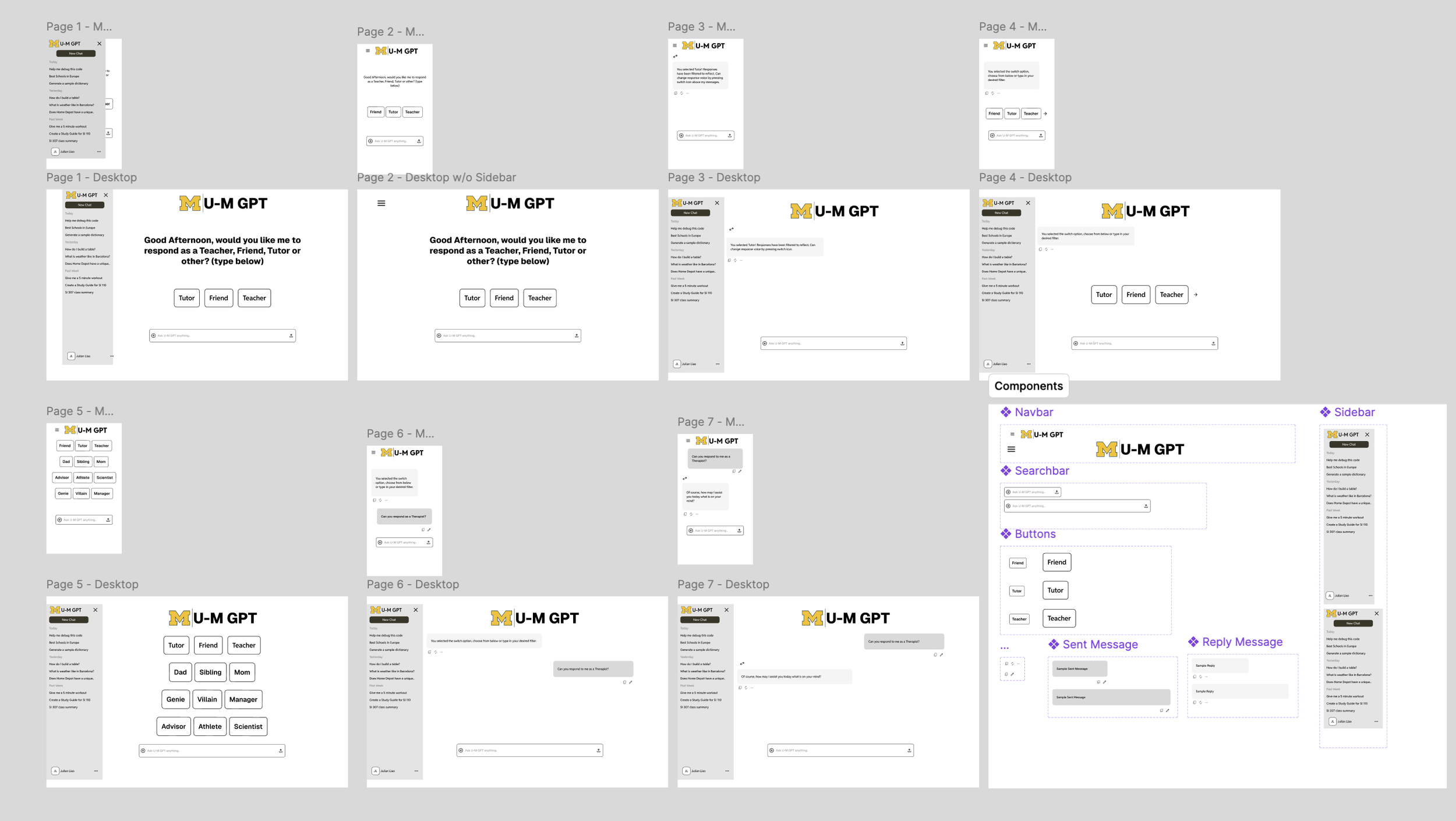
Low Fidelity Prototypes
Initial wireframes explored hero layouts, card structures, and sidebar navigation. These early concepts helped test how much information should appear above the fold and how users interpreted the purpose of each AI tool. Through iterations, I refined the layout to balance simplicity with clarity.
Final Design FeaturesFilled Landing Page
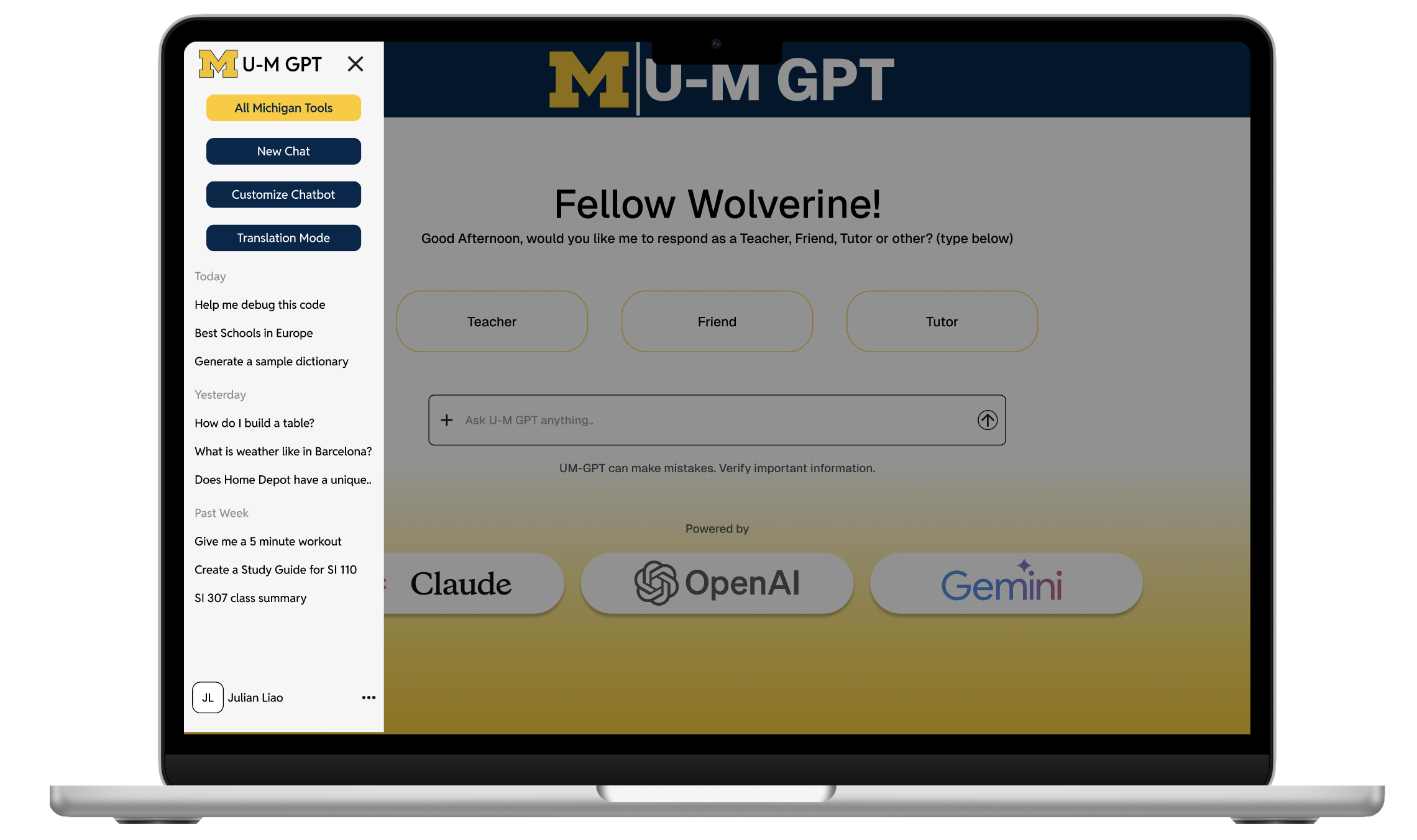
The filled landing page presents all core MichiganGPT tools in a clear, structured layout that reduces cognitive load and eliminates guesswork for first-time users. By emphasizing a strong hero section and four primary action cards, users can immediately understand what the platform offers and where to begin. This approach establishes clarity, trust, and a consistent visual hierarchy across the experience.
Accessible Sidebar
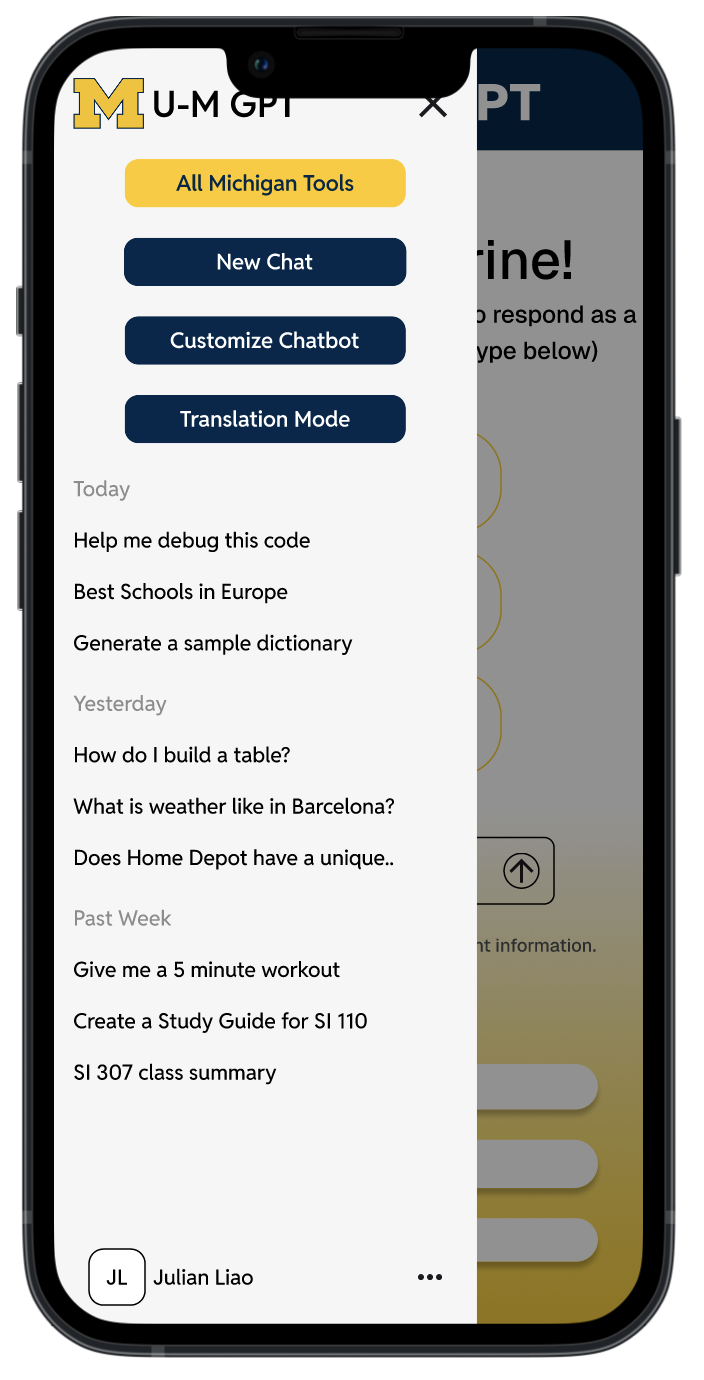
The redesigned sidebar organizes tools, resources, and support into intuitive categories, making navigation predictable and easy to scan. Larger tap targets, readable labels, and consistent iconography improve accessibility for users browsing quickly or on smaller screens. The result is a simpler, more reliable method for returning users to access what they need without friction.

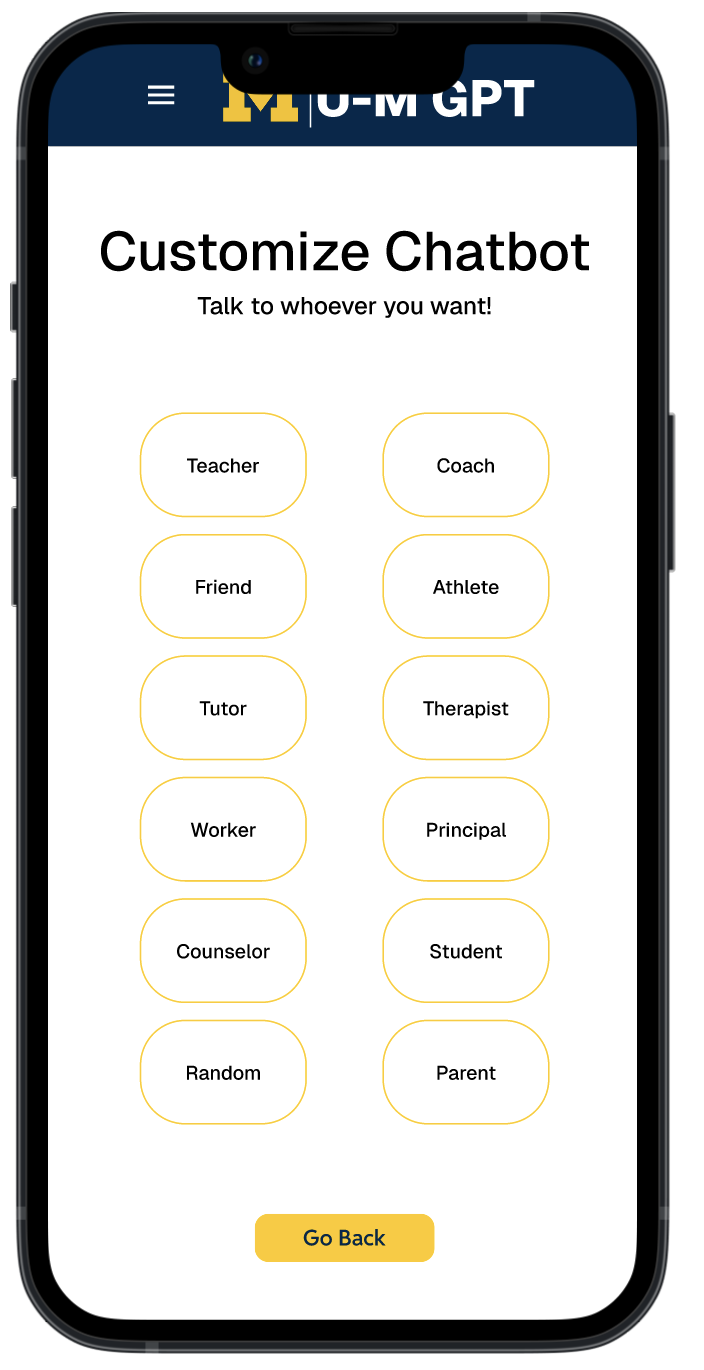
Curated Responses
Curated responses offer high-quality, context-aware guidance built specifically for academic, research, and campus-related tasks. This feature increases trust by helping users get more accurate and relevant answers without needing to refine prompts repeatedly. It also supports new AI users who may be unsure how to phrase questions effectively.
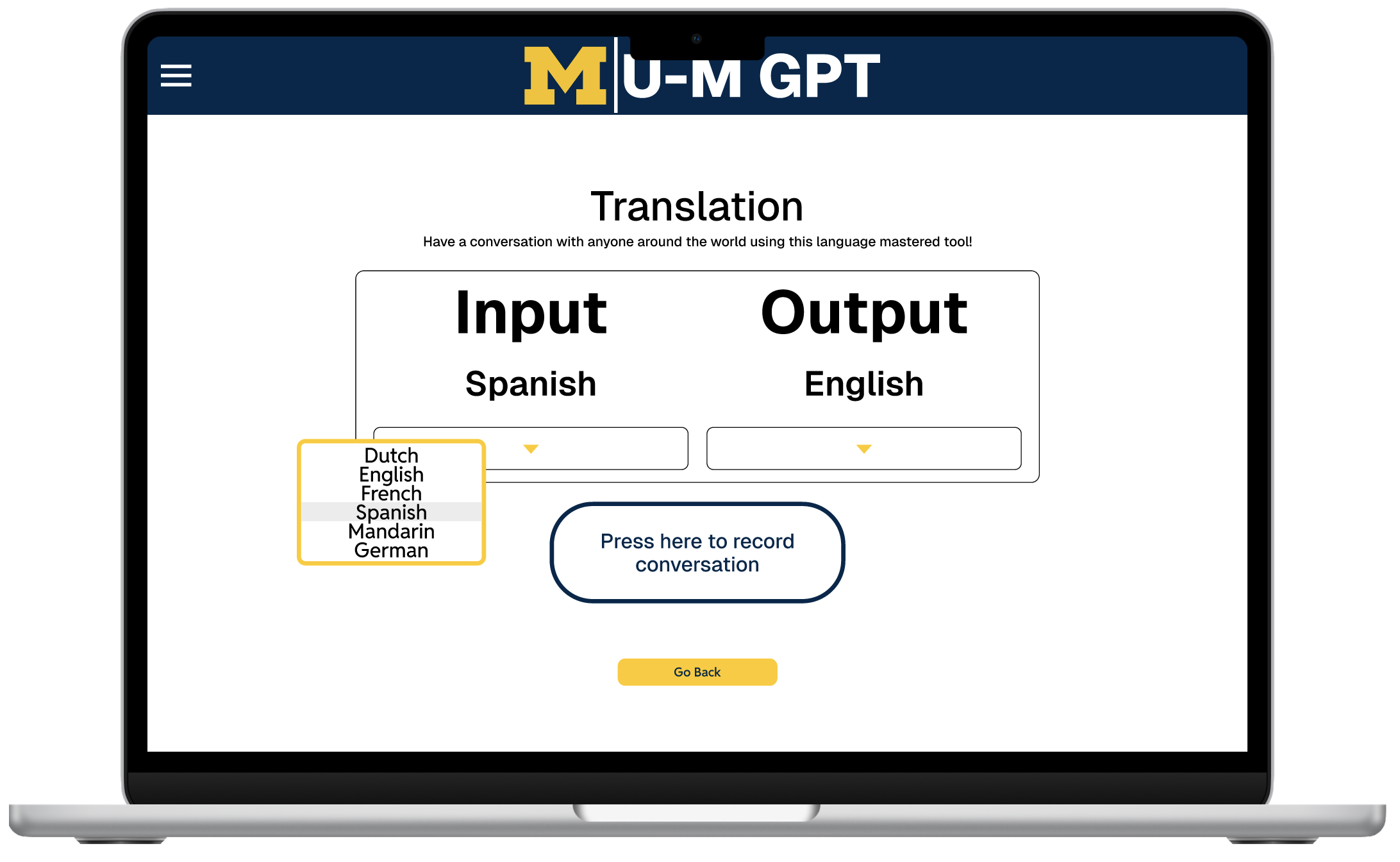
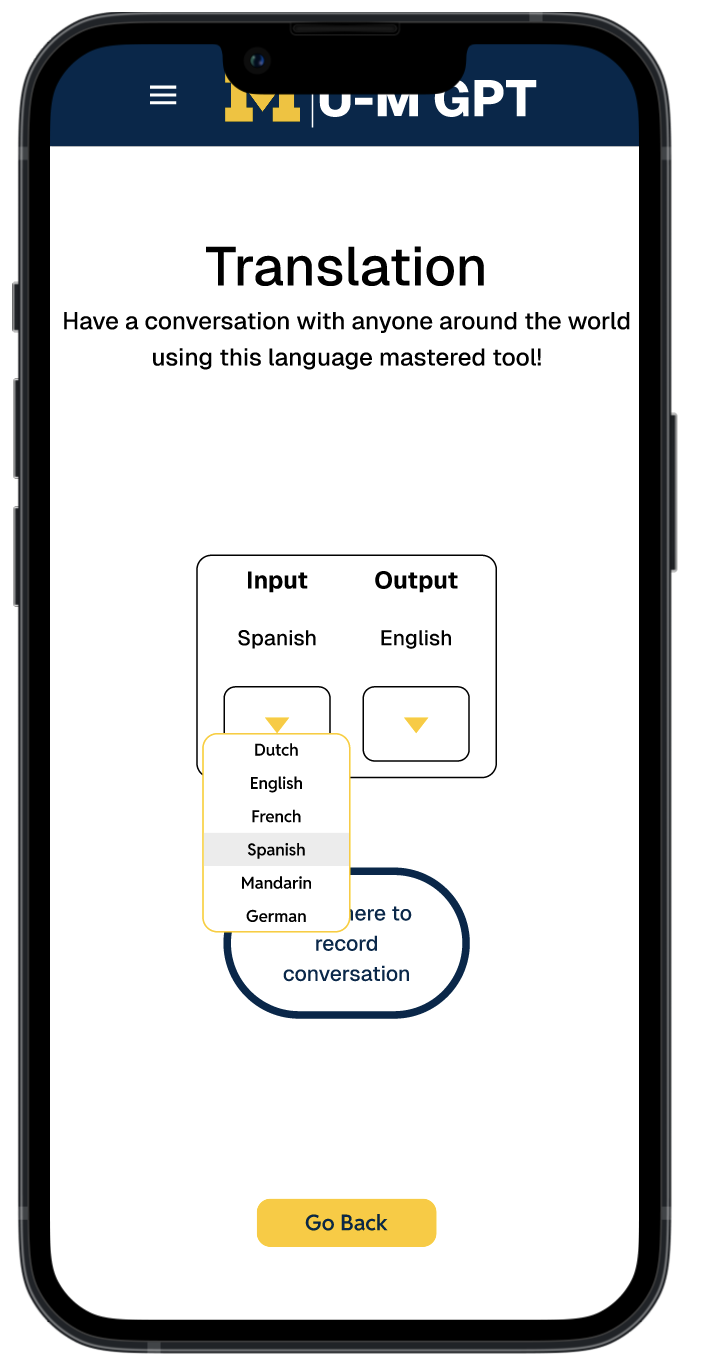
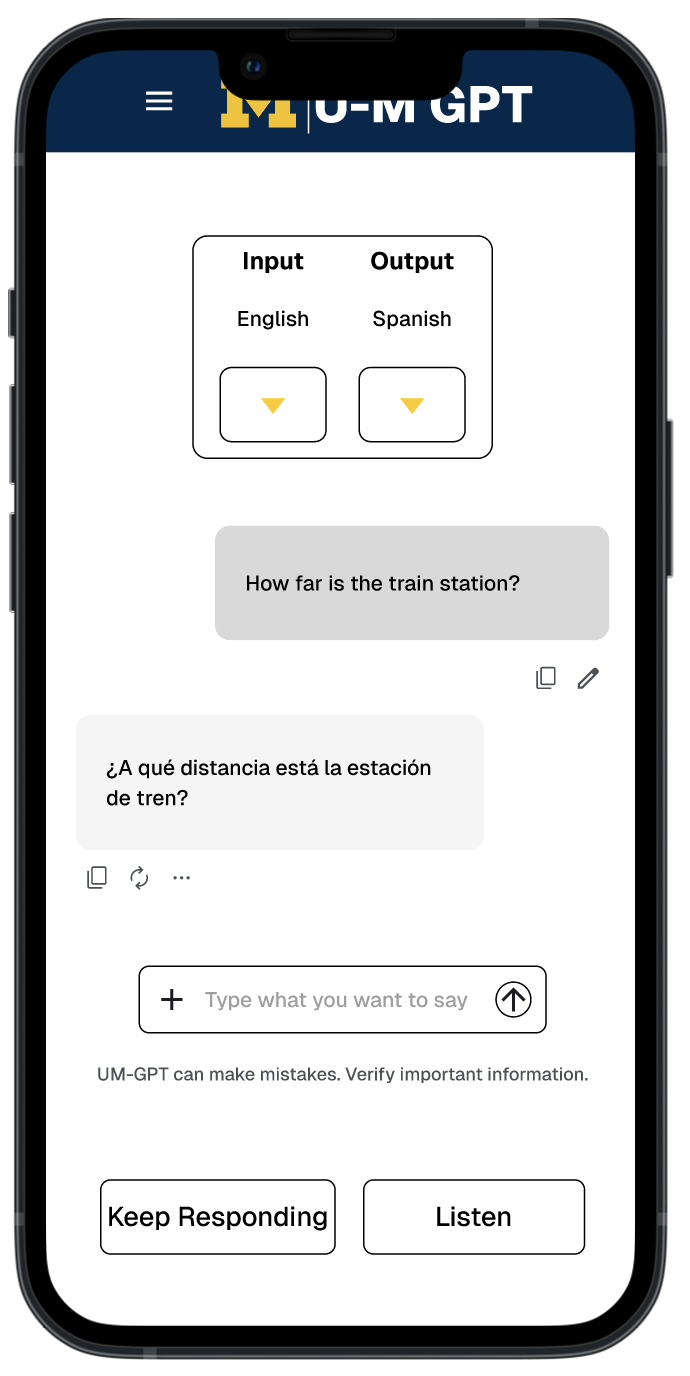
Translation Mode
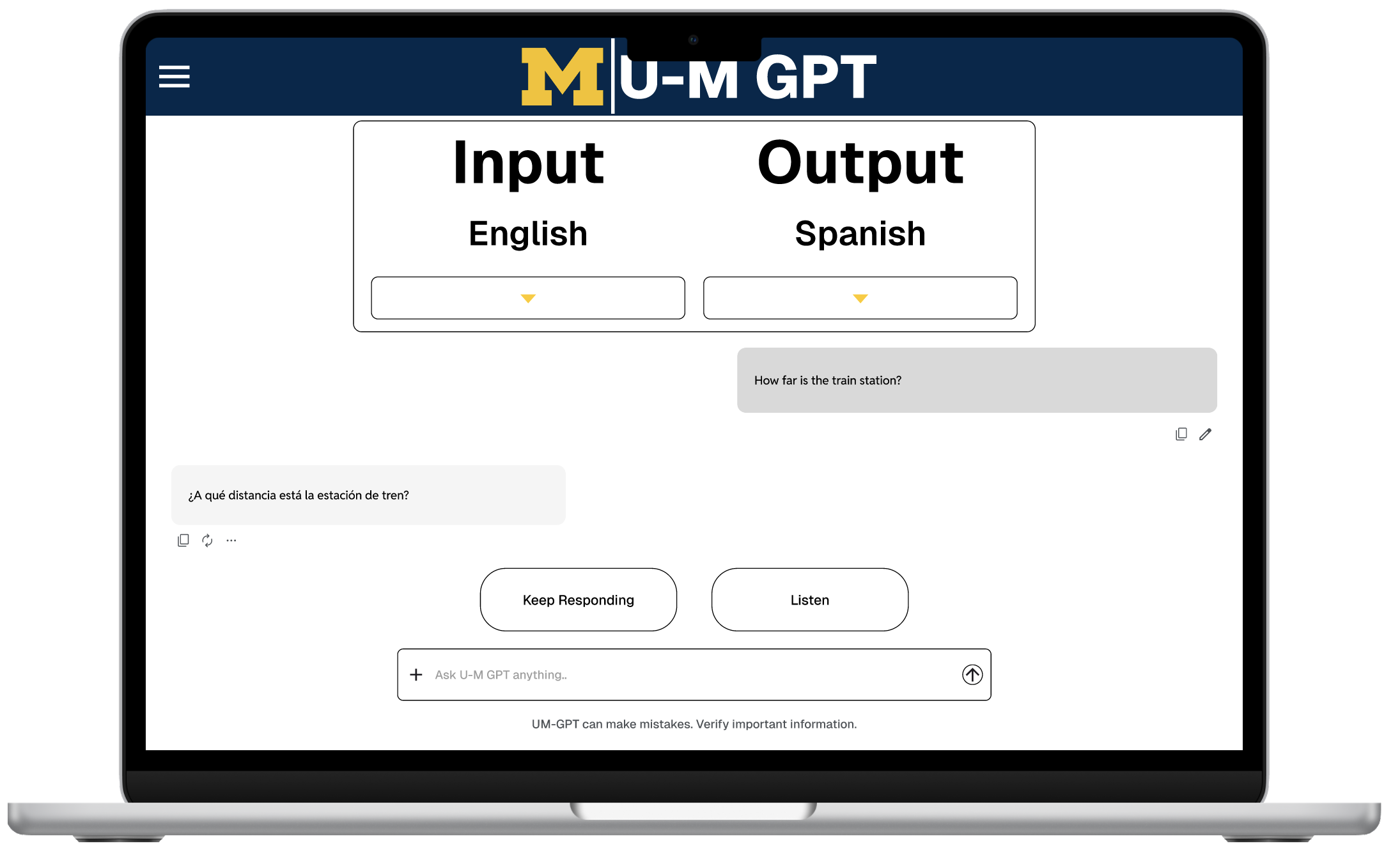
Translation Mode introduces multilingual support, ensuring that international students and multilingual community members can access MichiganGPT in the language they understand best. This reduces barriers to information and enhances equity across the platform. It also helps users communicate more confidently, especially when navigating academic or administrative tasks.
Audio Feedback
Audio Feedback enhances accessibility by allowing users to hear responses, interface confirmations, and key actions without relying entirely on visual cues. This is particularly helpful for users with visual impairments or those multitasking while using the platform. By providing an alternative mode of interaction, the system becomes more inclusive and flexible for diverse user needs.

Reflection & Next StepsFinal Design
The final UI highlights:
Clear hierarchy and predictable patterns
Cards for each AI tool, evenly spaced and highly scannable
Strengthened Michigan branding without overwhelming the UI
Accessibility upgrades for legibility, navigation, and recognition
Trust-building elements such as curated responses and user-centered features
The redesigned system helps students and faculty feel confident using Michigan’s AI ecosystem—whether they’re writing, researching, asking questions, or seeking campus help.
Reflection
Working on this redesign broadened my understanding of how clarity, psychology, and visual design shape user trust. Taking the entire project from research to high-fidelity prototypes helped me refine my process and uncover opportunities to improve Michigan’s digital ecosystem.
Looking ahead, I’d love to expand the redesign to include:
A full documentation experience
A personalized dashboard based on user history
Better integration with academic tools across campus
This project holds personal meaning—Michigan is my community. Creating a cleaner, more supportive AI workspace helped me contribute to something students use every day..